
The method for removing a player from your friends list depends on how they were added: through the app or automatically from a social network (Facebook, Mail.ru, OK, VK).
📱 Friend added through the app (Mobile)
To remove a player added through the app, open the “Friends” tab in the game lobby.

Select the friend you want to remove and open their profile by clicking on their avatar.
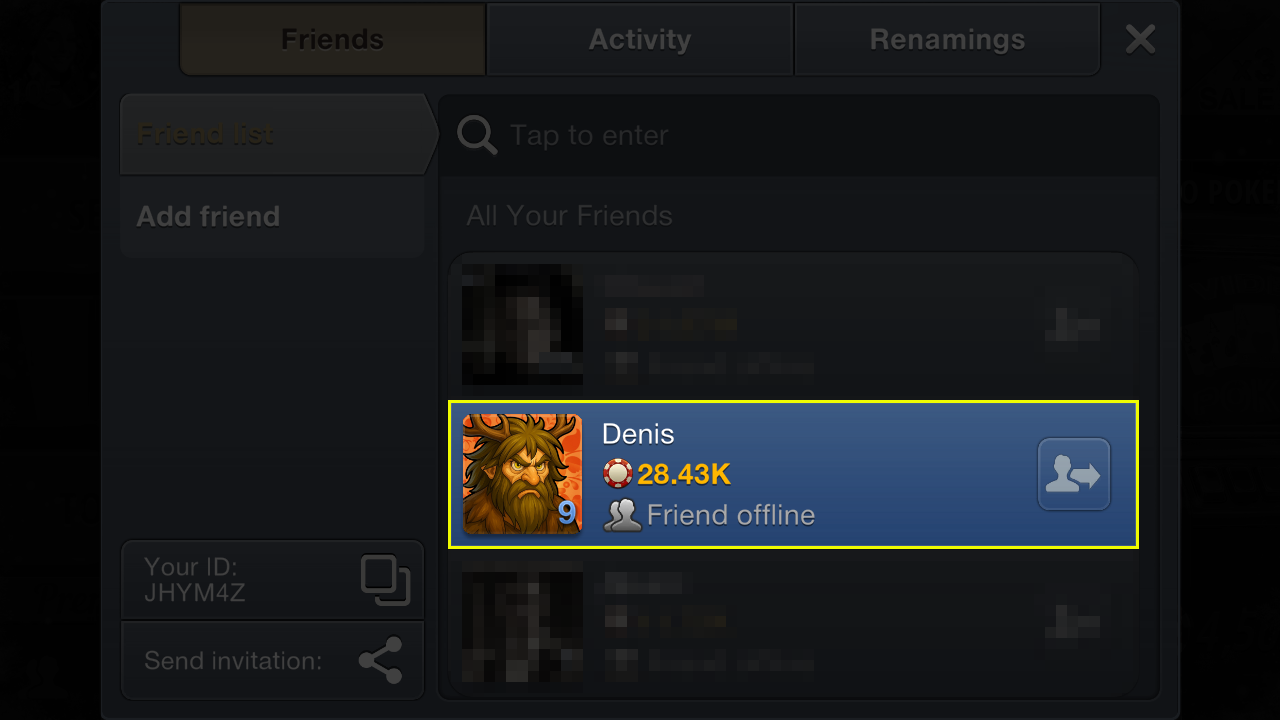
In the player’s profile, click the “Delete friend” button and confirm your action.
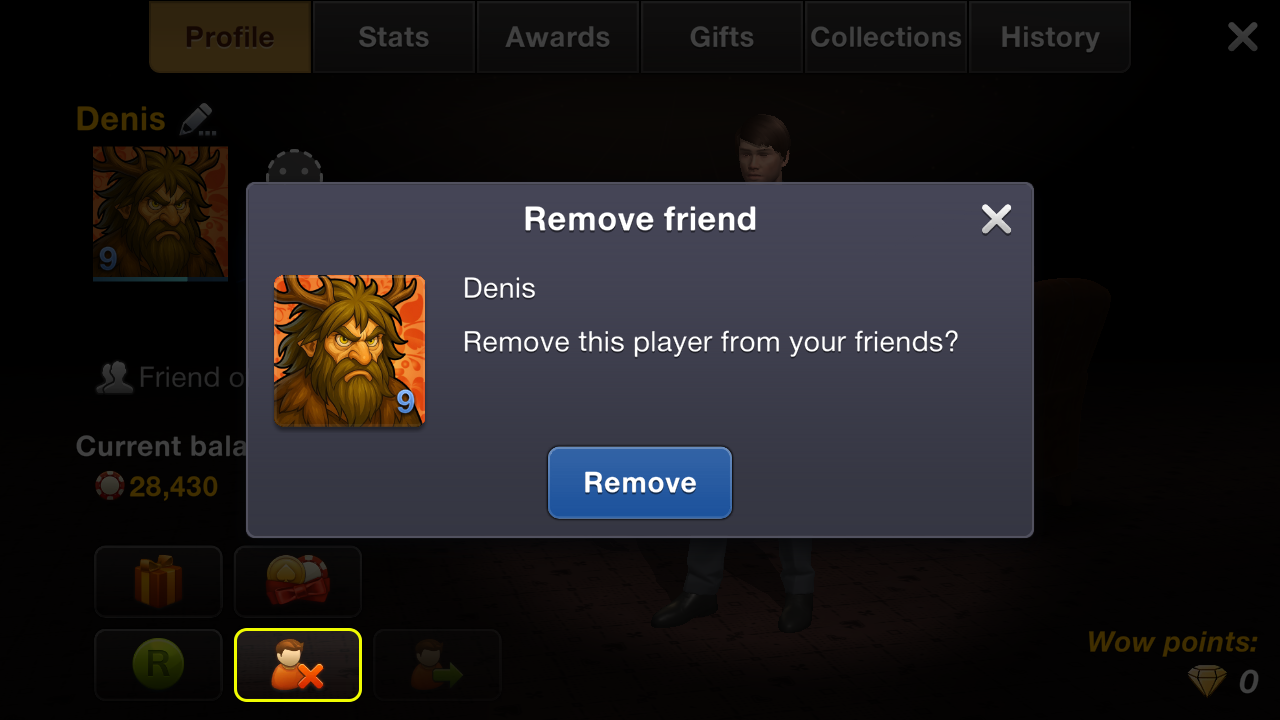
After that, the player will disappear from your friends list. If the friend is not removed from the list, it means that they were added via a social network.
🖥 Friend added via the app (PC)
To remove a player from your friends list, open the “Friends” tab at the bottom of the screen, hover over the avatar of the player you want to remove, click the delete button, and confirm your selection.
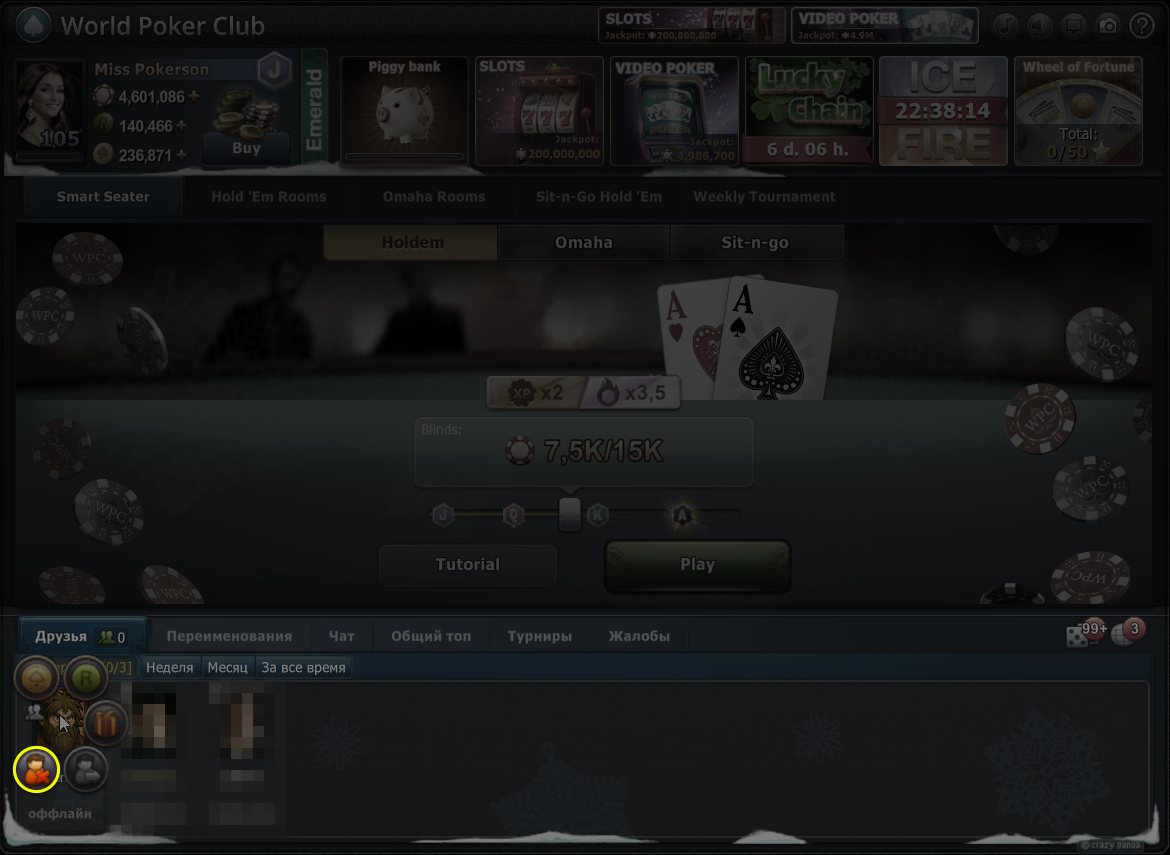
The player will then disappear from your friends list. If the delete button is inactive, it means that the friend was added via a social network.
🌐 Friend added from a social network
Facebook, Mail.ru, OK, and VK accounts automatically sync your friends list. If your friends have World Poker Club profiles, they are added as friends in the app automatically. Such friends cannot be removed through the app — you must delete them directly in the corresponding social network.
After removing a player from your friends list on the social network, they will automatically disappear from your friends list in the game.